
Testing alarm
Before you start testing alarms.
- Make sure you are alone in the room, when testing
- Check that AMS has been taken in the room and that it is OK.
- Check whether the alarm you are going to test is time-controlled off
- Please make sure that presence marking for personnel is not activated in the room you are testing alarms.
- Check that alarms are activated.
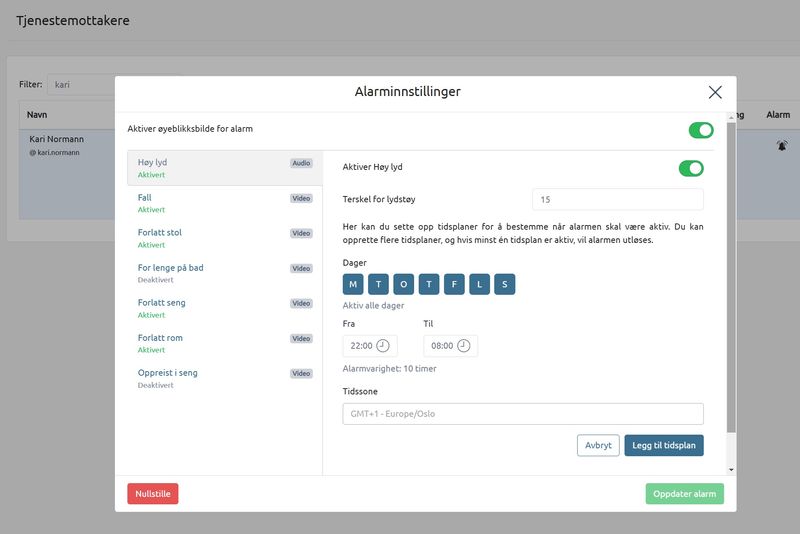
- At Service recipient – Alarm settings
To activate alarms, select the ones you want and then press Update alarm . Alarms should now be activated.
Test That Alarms Enter Nattugla Administrator or Hepro Response Mobile
- If you have presence marked – make sure that this is not activated. It will turn off all alarms.
- check whether the alarm you are going to test is timed off
- Test one of the selected alarms you chose to activate.
- Fall alarm. Stand up straight and lie down on the floor. After about 20-60 seconds, an alarm will be sent from Nattugla.
- Up and out of bed. Lie down in bed and lie down for at least 30 seconds. Get up and leave the bed. Alarm is sent from Nattugla.
- Leaving chair. Sit in the chair and wait at least 30 seconds. Get up and leave the chair. Alarm is sent from Nattugla.
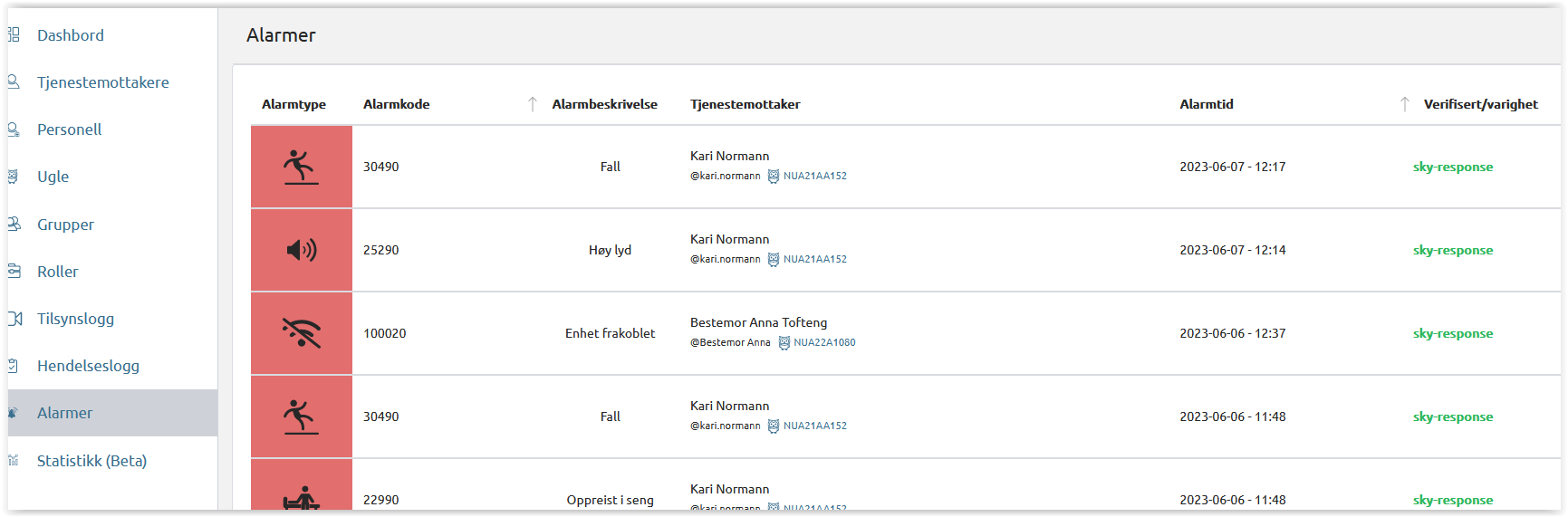
You will see the alarms in the alarm overview in the Nattugla admin portal or as an alarm in mobileapp

We are here for you
If you can't find the answer to your question, don't worry – we're here to help.
Hepro : + 47 400 04 443
Nattugla : +47 400 04 887