
Two-way speech in supervision
Supervised two-way speech
This video is subtitled in several languages, remember to turn on subtitles if you want more info
First Step
When two-way speech is activated, healthcare personnel can communicate with the service recipient under digital supervision in the following way:
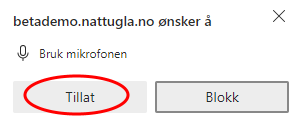
When starting your first supervision, you will be asked to grant microphone access. Click Allow to proceed.
Second Step
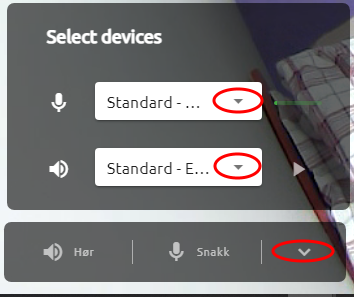
Select the correct microphone and speaker by pressing the arrow at the bottom right and then selecting the desired microphone and speaker from the drop-down menus.
Third Step
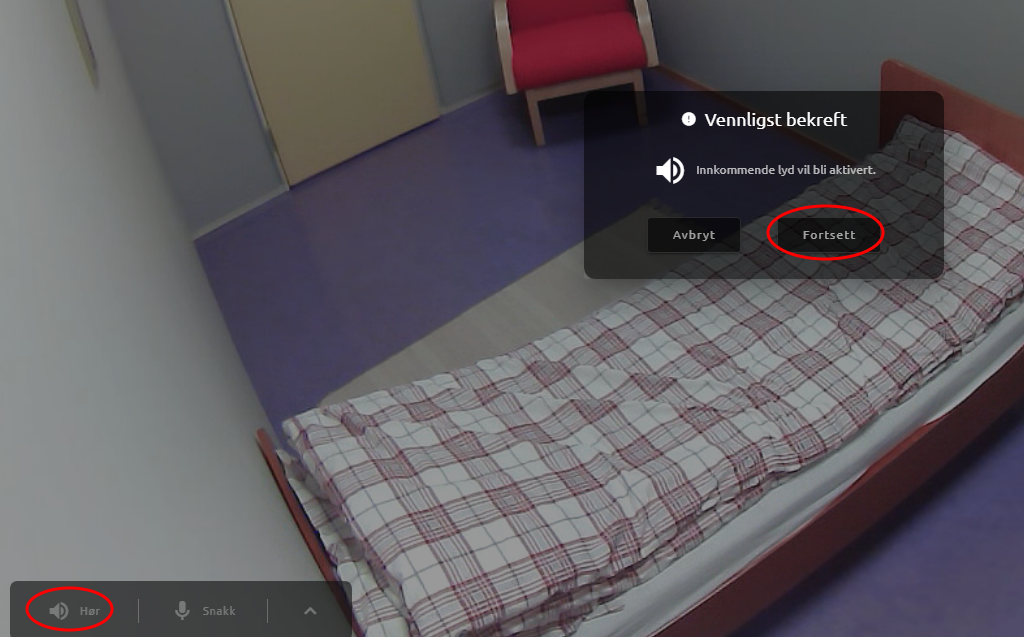
Press Listen to activate your own speaker, then press Continue to confirm that the sound is turned on from Nattugla.
Fourth Step
Speaker is green when sound is on. Press the same button
to mute the sound. 
Fifth Step
Click Talk to activate your own microphone, then click Continue to confirm that the microphone is turned on.

Microphone is green when on. Press the same button to turn off the microphone. 
When both microphone and speaker are green, the Health Worker can communicate with the Service Recipient.
We are here for you
If you can't find the answer to your question, don't worry – we're here to help.
Hepro : + 47 400 04 443
Easymeeting : +47 400 04 887