
Logging
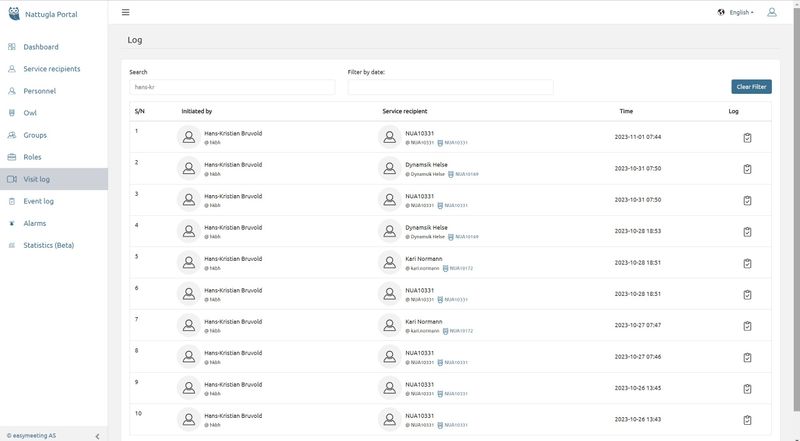
Visit log - First step
The log contains the name and username of the Health Care Personnel, the name and username of the Service recipient, as well as the time the supervision was carried out.
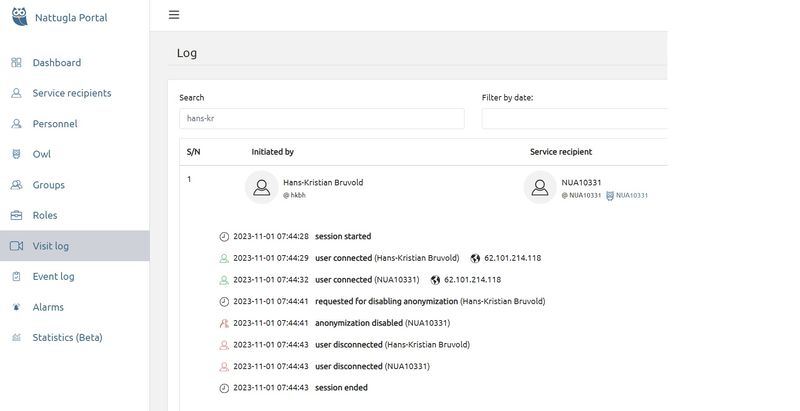
Visit log - Second step
Click the LOG button on any completed supervision to view all details.
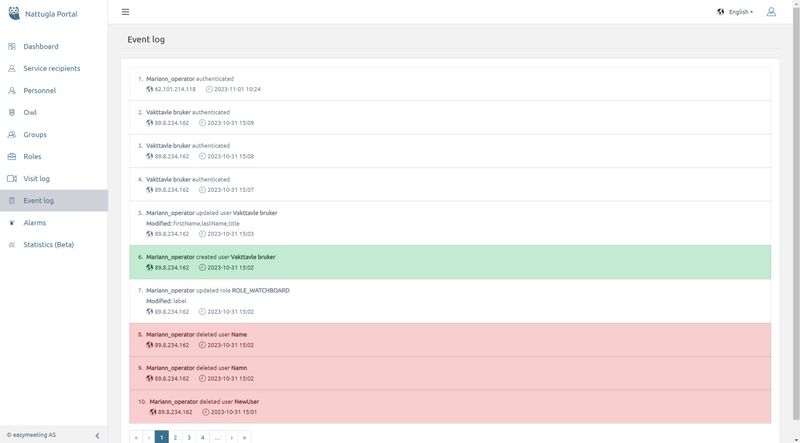
The Event log stores all actions performed in the administration page, such as creating service recipients, adding Nattugla devices, etc.
Event log
The event log shows an overview of who has logged in to their part of the Nattugla portal.
What is marked in green has been added. What is marked in red has been taken out. Neither Hepro nor Easymeeting will log in without your permission.
We are here for you
If you can't find the answer to your question, don't worry – we're here to help.
Hepro : + 47 400 04 443
Nattugla : +47 400 04 887