
Create healthcare personnel
First Step
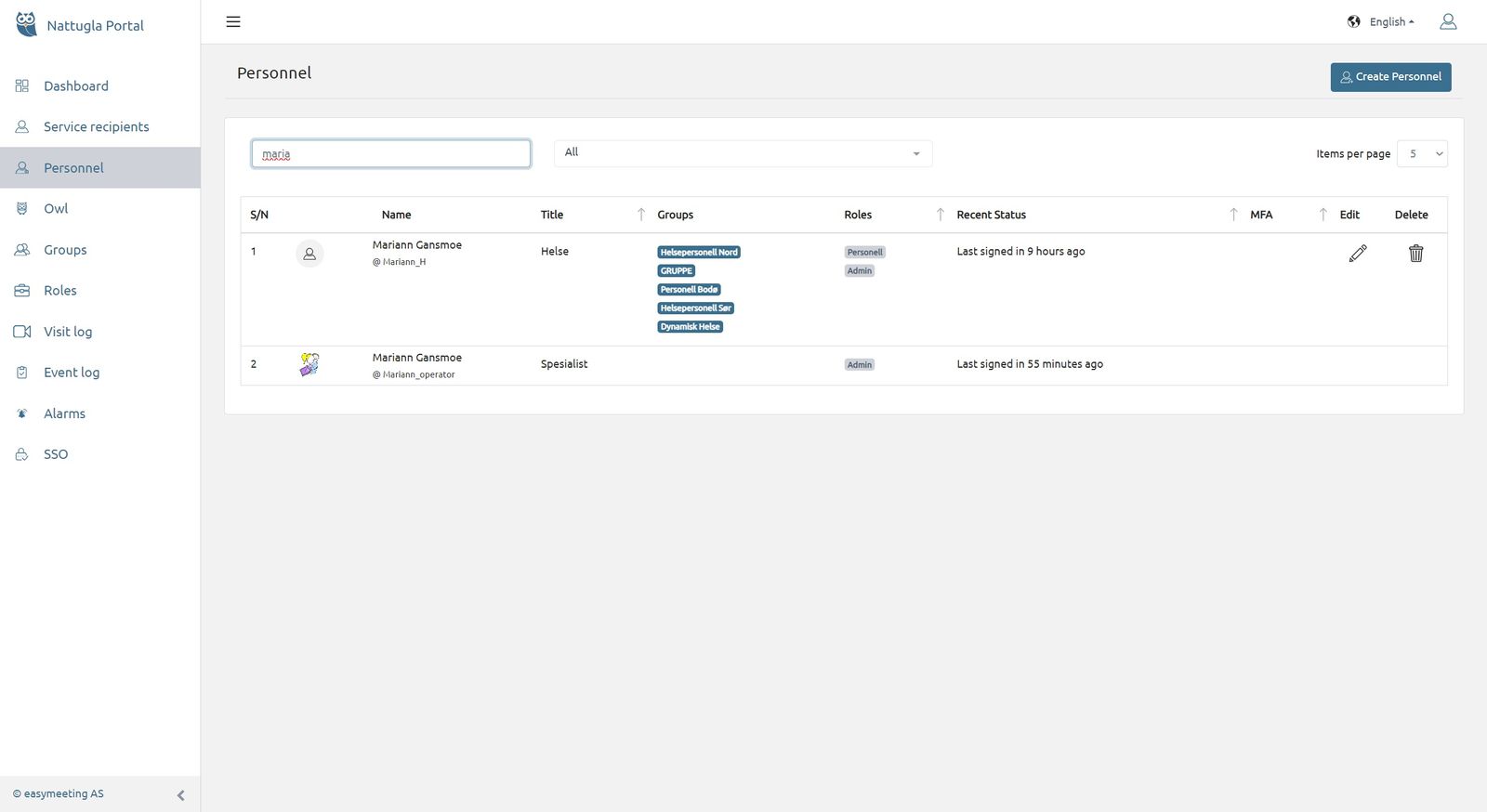
Click on Personnel in the menu on the left.
Click the BLUE button at the top “Create Personnel”.
Second Step
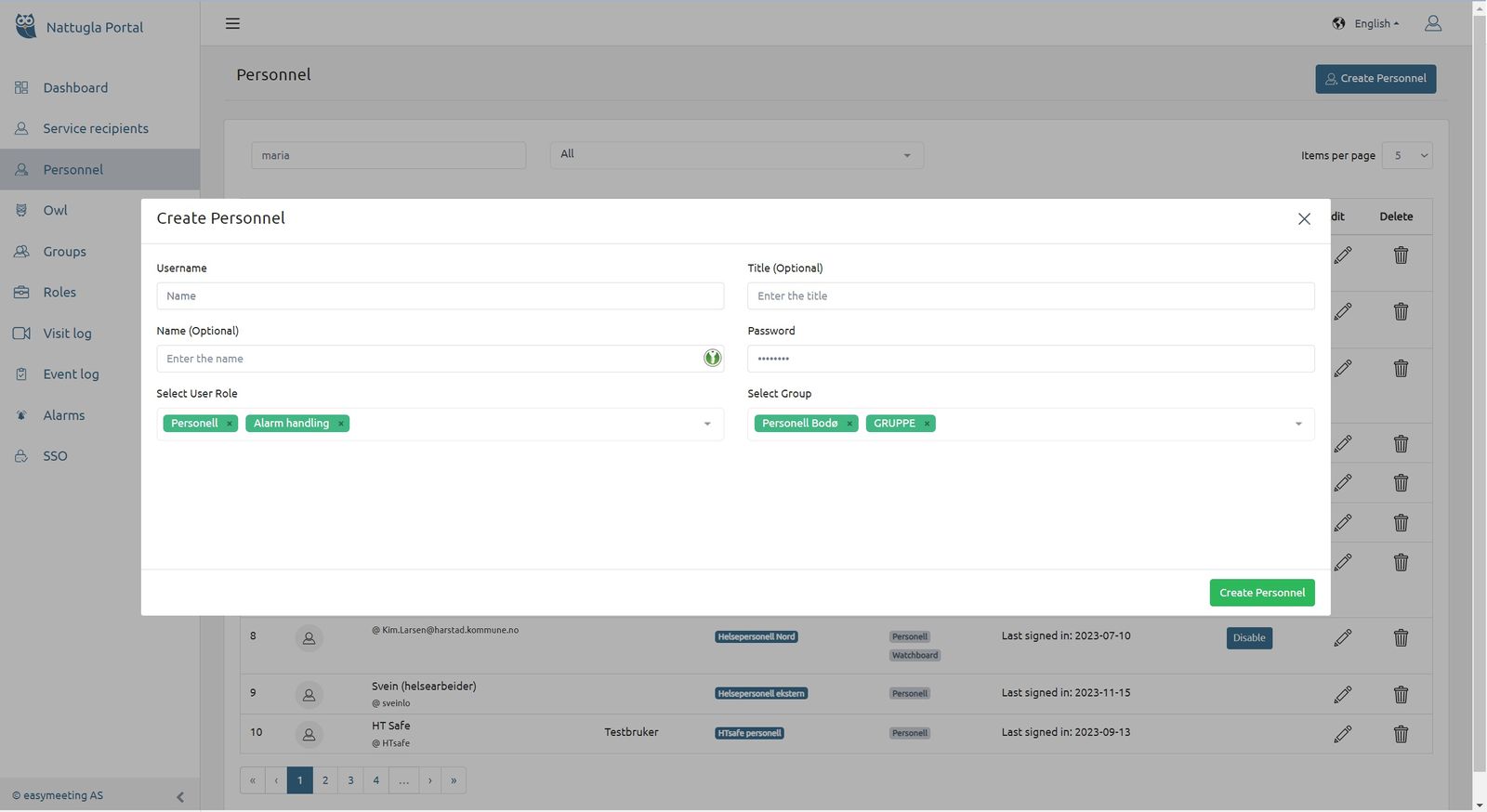
A new window opens. Enter at least a username and password.
Select Role – You can select multiple roles.
Select Groups – You can select multiple groups.

We are here for you
If you can't find the answer to your question, don't worry – we're here to help.
Hepro : + 47 400 04 443
Nattugla : +47 400 04 887