
Alarm handling in Hepro
Alarms come in via Hepro
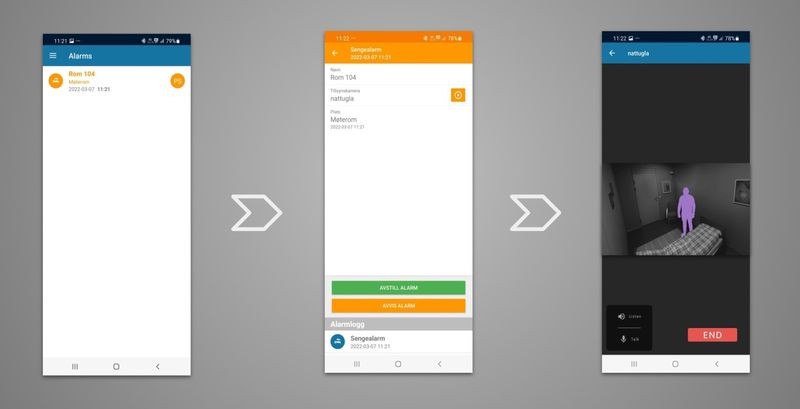
When nursing staff take the alarm, it goes from red to orange, so that others on duty can continue with their tasks.
Opening the alarm gives you a choice for Nattugla to perform a supervision. Click on the symbol and the supervision will begin. Click on the WHITE ARROW and the supervision will start.
If the organization allows it, you will be given the option to turn on the sound to listen and the microphone to speak.
It will also be possible to turn off the anonymization, for a better picture of the situation.

We are here for you
If you can't find the answer to your question, don't worry – we're here to help.
Hepro : + 47 400 04 443
Easymeeting : +47 400 04 887