
Activate anonymisation
First Step
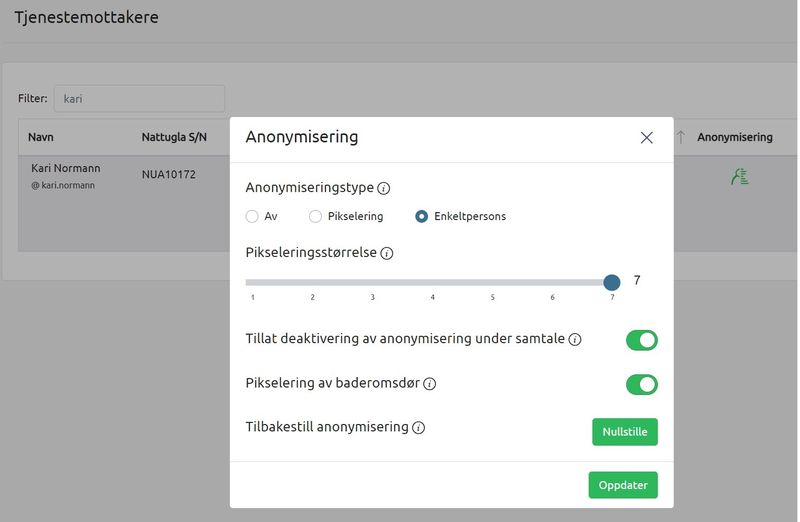
- Click on Service recipients in the menu on the left.
- Then search for the service recipient to be anonymised, press the Anonymisation symbol on the far right.
- A new window opens and you can enable anonymisation with pixelation or person (purple shade)
- You can add or remove the ability to remove anonymisation under supervision
- You can add or remove pixelation for the bathroom door.
Second Step
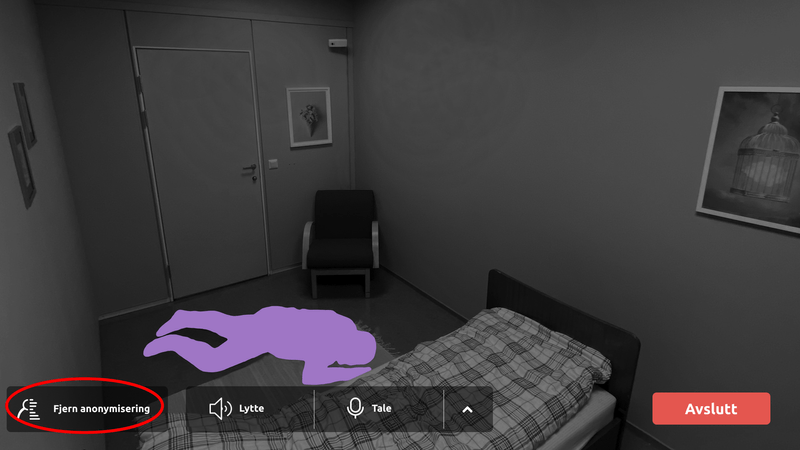
When anonymisation is activated, the service recipient will be anonymised when supervision starts. If allowed, click on Remove anonymisation in the bottom left corner to remove it.
Third Step
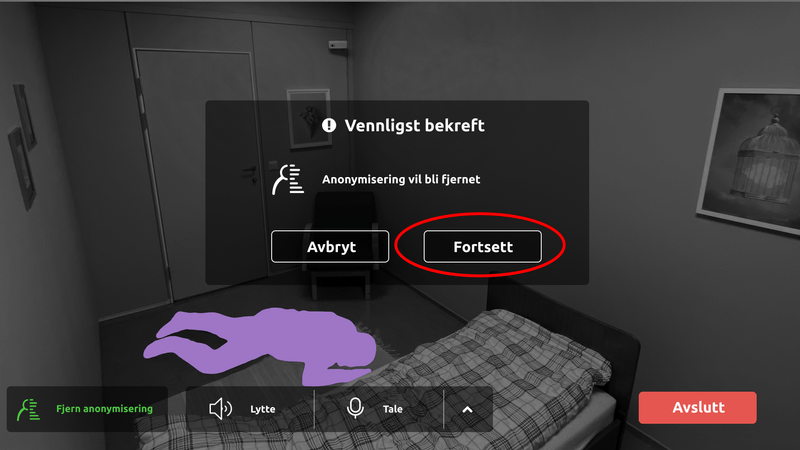
Press Continue to confirm that anonymisation is to be removed.
Fourth Step
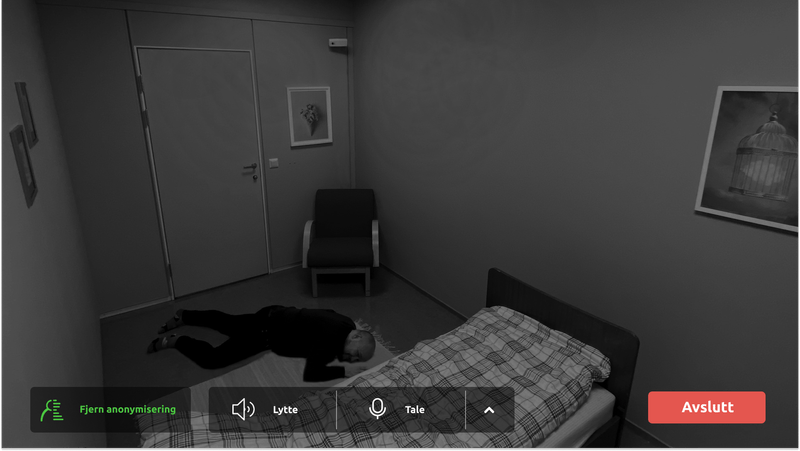
The service recipient is no longer anonymised.
Please note that if pixelation of bathroom door is selected, this will still be active.

We are here for you
If you can't find the answer to your question, don't worry – we're here to help.
Hepro : + 47 400 04 443
Nattugla : +47 400 04 887